Quick Read
Philippine eTravel registration and updates are free through the official government platform. Travellers should verify the website address, distinguish eTravel from e-Visa and save their QR code.
Key Takeaways
- eTravel does not charge a registration or update fee.
- Use the official government portal.
- Check authenticity before providing personal information.
- eTravel and e-Visa serve different purposes.
- Save a digital or printed QR code.
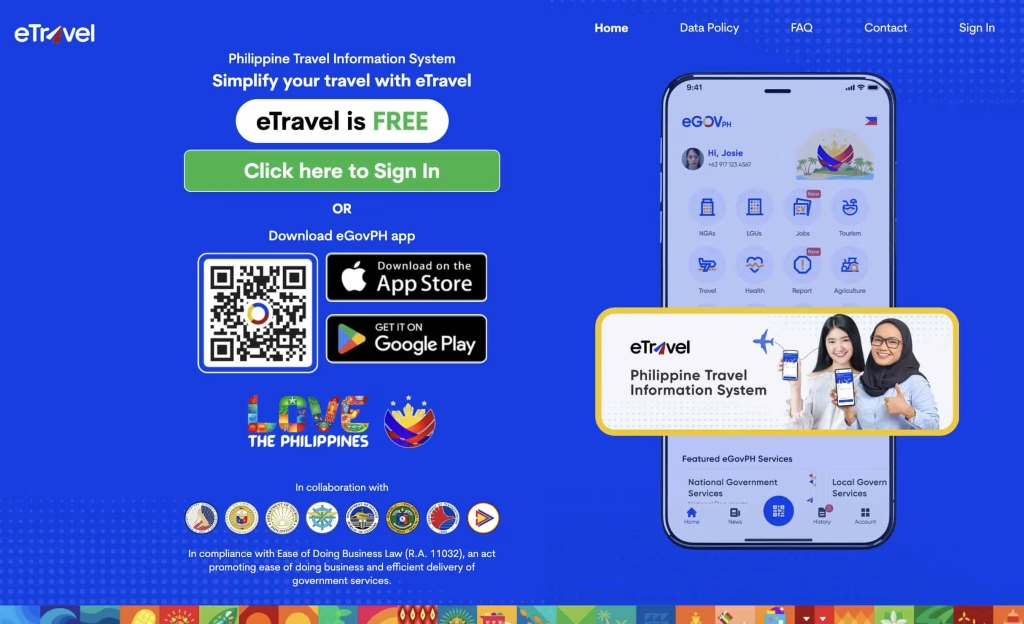
Philippine eTravel registration is free. The government platform does not require an online payment to register or update your information. Start at etravel.gov.ph, not a lookalike website offering a paid registration service.
The Philippine Embassy in New Zealand reiterated this on October 7, 2026, warning travellers to verify website authenticity before submitting personal information. This is an existing free service—not a temporary fee waiver or promotional offer.
Table of Contents
What should you do if a website asks for payment?
Pause before entering payment details. Check the address bar and return directly to the official portal rather than continuing through an unfamiliar link.
The embassy’s warning specifically covers other platforms that resemble the government service or claim to provide Philippine eTravel registration. A convincing name or familiar-looking page is not enough to establish that you are on the official website.
For practical purposes, keep the official address with your travel documents so you do not need to search for it again while rushing.
Is eTravel the same as an e-Visa?
No. The Philippine Embassy in Seoul distinguishes the two services in its September 30, 2026 advisory:
| Service | Purpose | Official website |
|---|---|---|
| eTravel | Travel declaration | etravel.gov.ph |
| Philippine e-Visa | Entry-visa applications for visa-required foreign nationals | evisa.gov.ph |
Do not interpret the free eTravel policy as a statement that every separate visa or travel-related service is free.
Do you need to download an app?
An app is not required to use the web platform. The official FAQ says eTravel works through a mobile or computer browser and requires an internet connection. The homepage also offers the eGovPH app as an alternative.
What should you save after registering?
Download or screenshot the QR code before leaving the platform. The FAQ also permits a printed copy. Keep it accessible with your other trip documents.
This guide addresses the registration fee and correct portal. For trip-specific eligibility, timing and declaration instructions, check the official FAQ before completing your record.