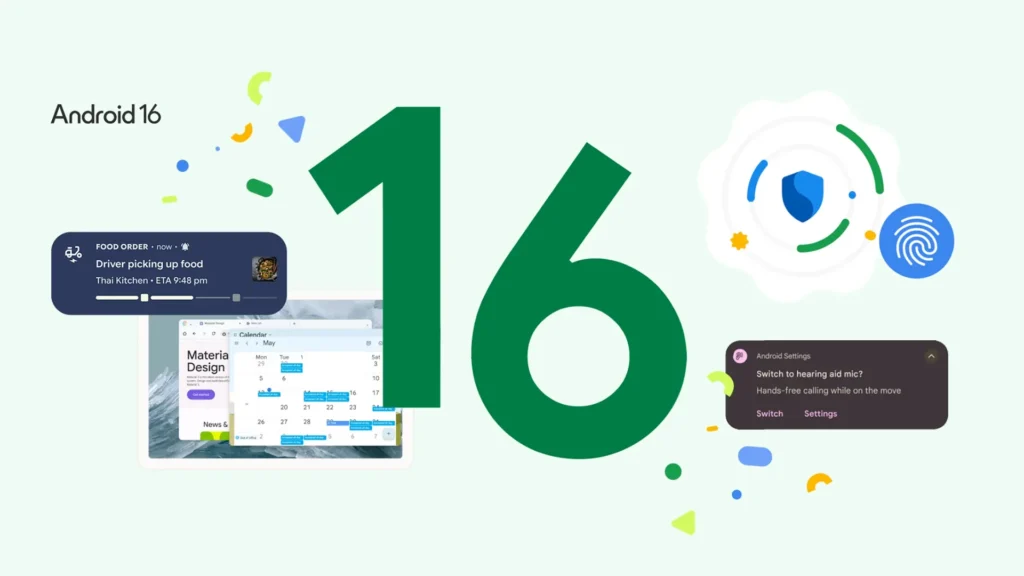
Google has officially launched Android 16, making a bold move to outpace Apple by releasing its newest mobile operating system ahead of schedule. While past Android rollouts typically arrived between August and September, this year’s early June debut signals a confident push into the spotlight—just as Apple begins beta testing iOS 26.
Currently available for select Google Pixel models, Android 16 introduces a blend of visual upgrades, productivity enhancements, and tighter security features, many of which draw parallels to Apple’s own offerings. A wider rollout to other Android devices is expected in the coming months.
What’s New in Android 16?
1. Live Updates for Real-Time Tracking
Arguably one of the most anticipated features, Live Updates brings real-time notifications to the Android lock screen and status bar, closely mirroring Apple’s Live Activities. Think Uber rides, food deliveries, or countdown timers that visually update as events unfold. While the feature is now live for developers, full prioritization and expanded visibility on the Always-On Display are set to arrive in future patches.
2. Cleaner, Smarter Notifications
Say goodbye to clutter. Android 16 now automatically groups notifications from the same app, reducing the noise and making it easier to focus on what matters. Whether you’ve stepped away for a few minutes or a few hours, your phone won’t feel like it exploded with alerts.
3. Edge-to-Edge App Experience
Aesthetic upgrades are also front and center. With Android 16, all apps are now forced into edge-to-edge mode, offering a cleaner, more immersive look that adapts beautifully to modern screen sizes and aspect ratios. This update sets the stage for the upcoming Material 3 Expressive design language.
4. Predictive Back Navigation by Default
Android 16 enables Predictive Back system-wide, a navigation feature first introduced in Android 13. Users can now press and hold the back gesture to preview the next screen before fully committing—bringing more transparency and predictability to multitasking.
5. Smarter Scam Protection with AI
Security gets a major boost with the introduction of Activated Protection. Android 16 now includes Scam Detection AI, which flags potentially fraudulent calls or messages in real time. Common scam tactics—like crypto cons, fake toll road fines, and tech support fraud—are proactively monitored. There’s also an in-call protection system that prevents users from mistakenly enabling accessibility features that scammers can exploit to hijack devices.
Users can activate these features in the Security & Privacy section of settings.
Android 16: A Confident Step Forward
Android 16 isn’t just about catching up to iOS—it’s about setting a new standard in usability, design, and digital safety. While the full rollout may take a few months, Pixel users already have a head start exploring what could be the most refined version of Android yet.